

The system a service business runs on.
Every call, message, booking, job, and invoice lands on one contact, and the automations carry it from the first ring to the paid invoice.
Watch the film with no sign-up. A workspace asks for a card.


The whole business in one product.
Every screen is built on one contact record. The person who texted this morning is the person on the invoice.
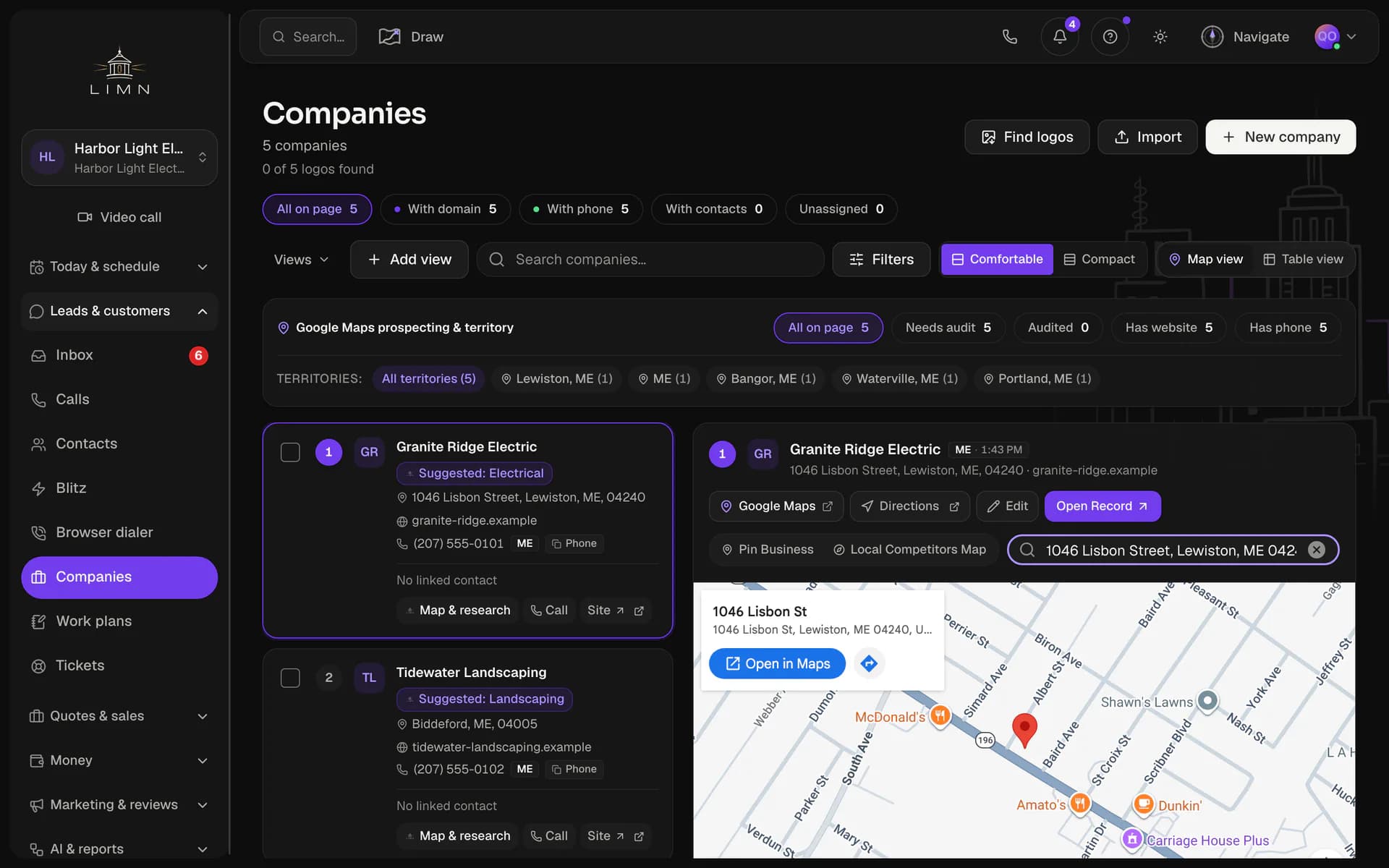
Companies
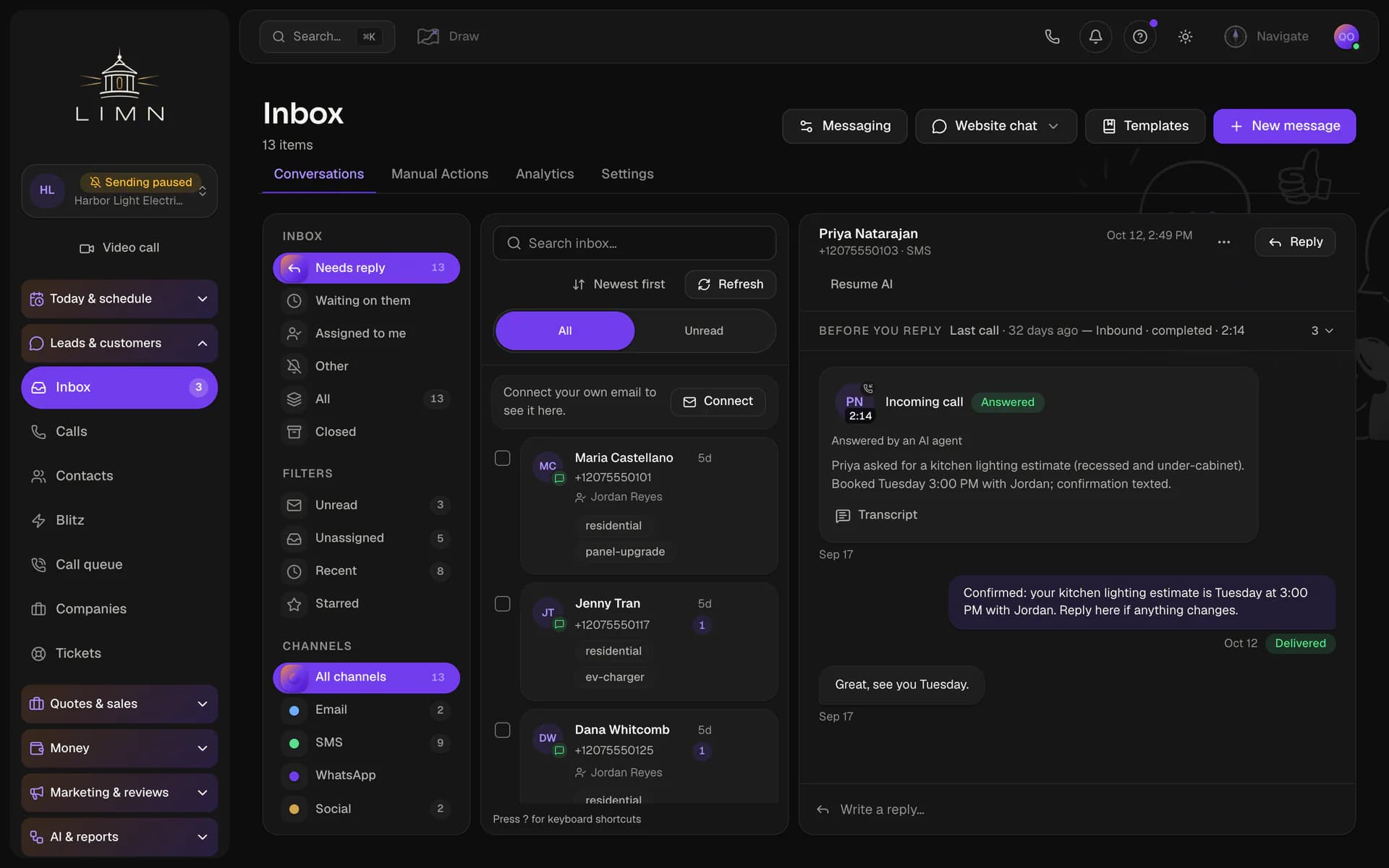
Inbox
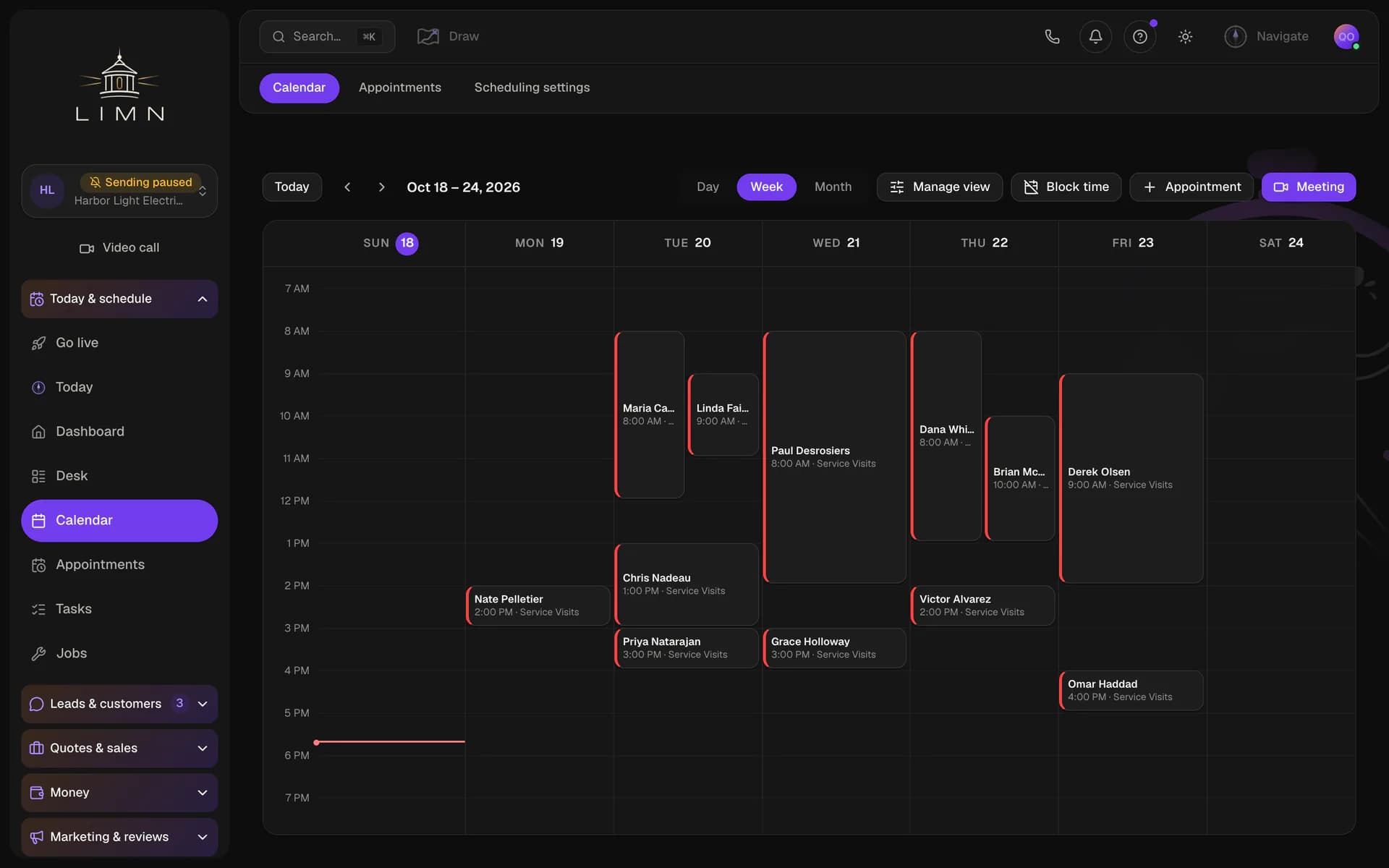
Calendar
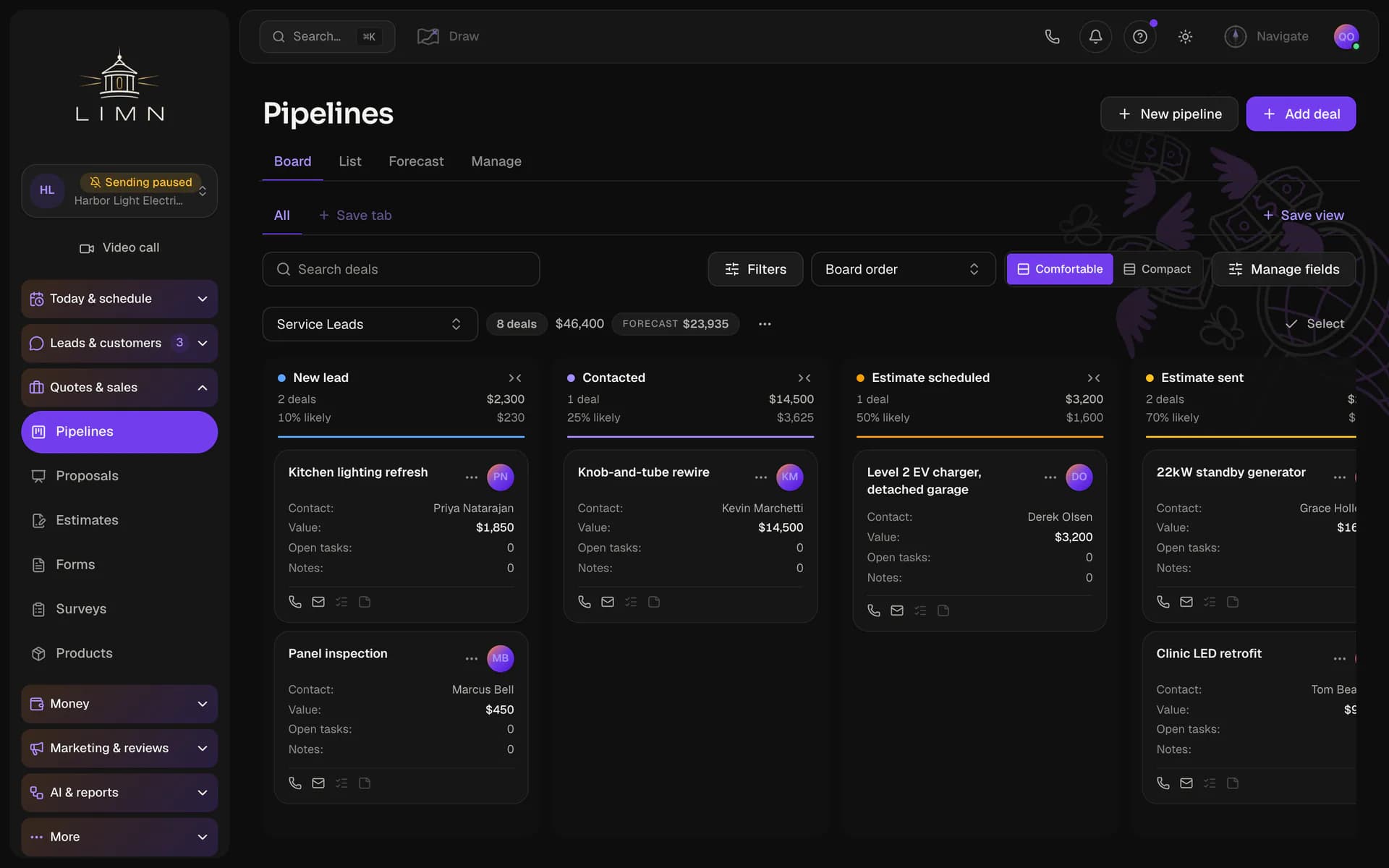
Pipeline
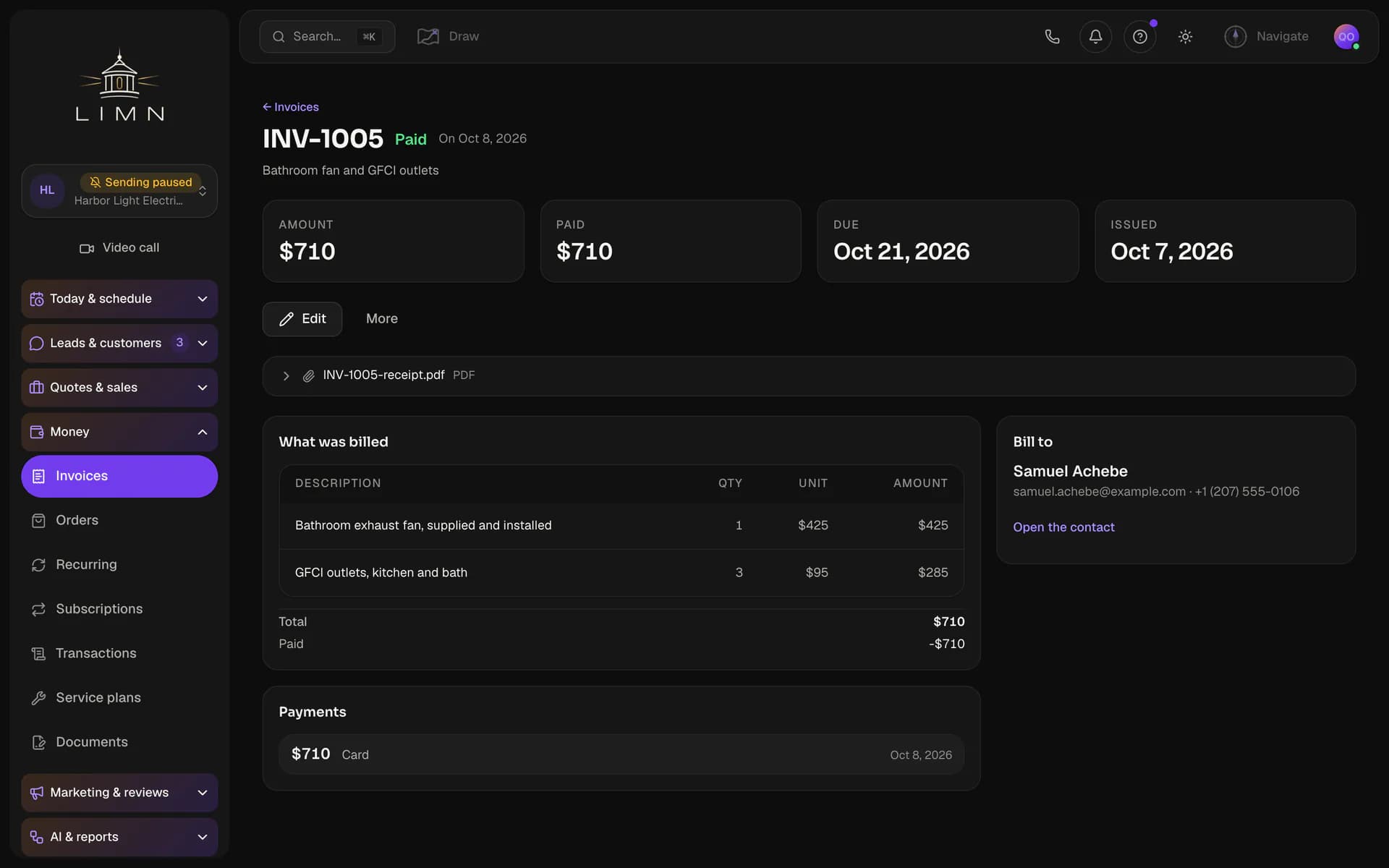
Invoices
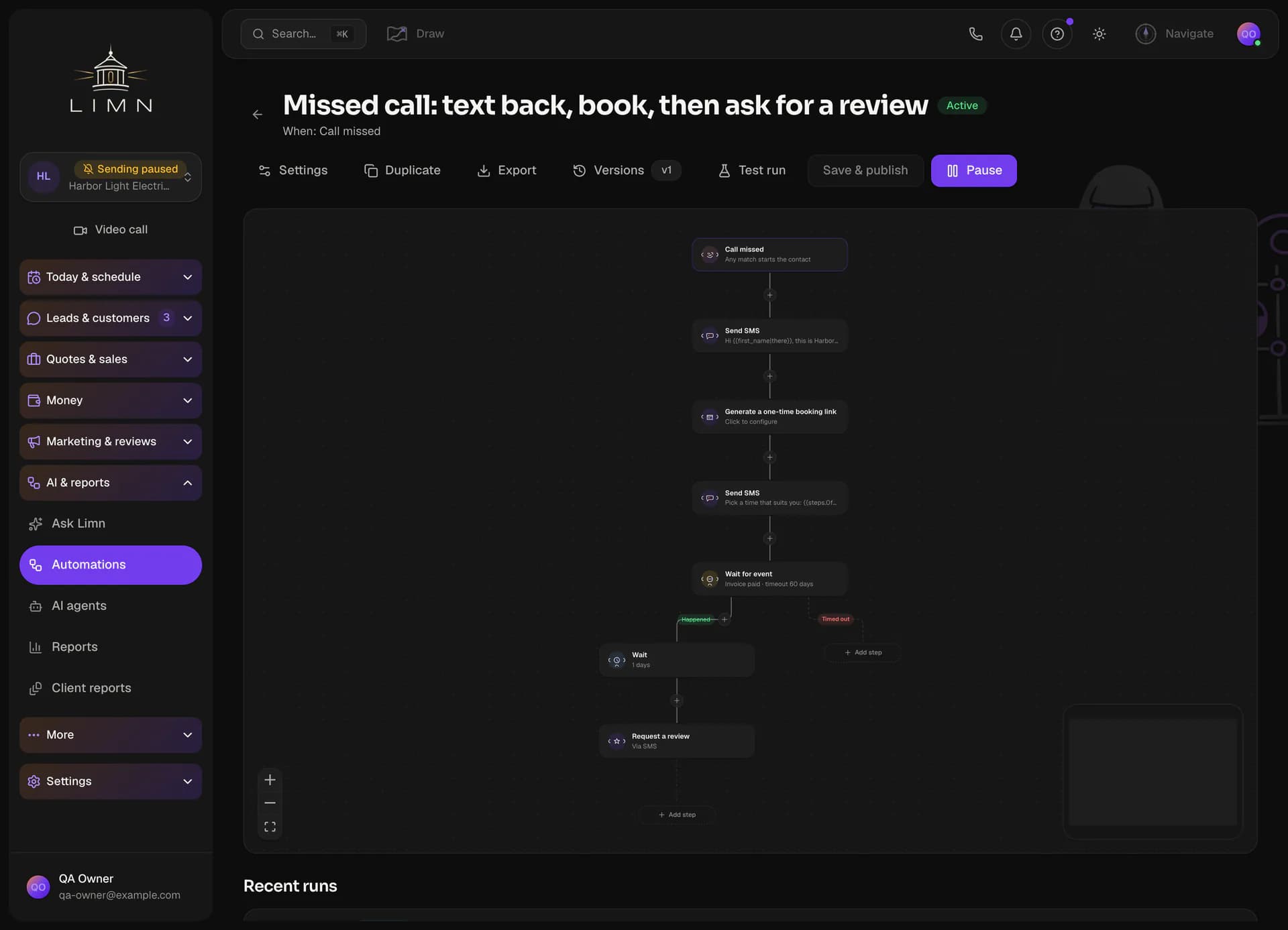
Automations
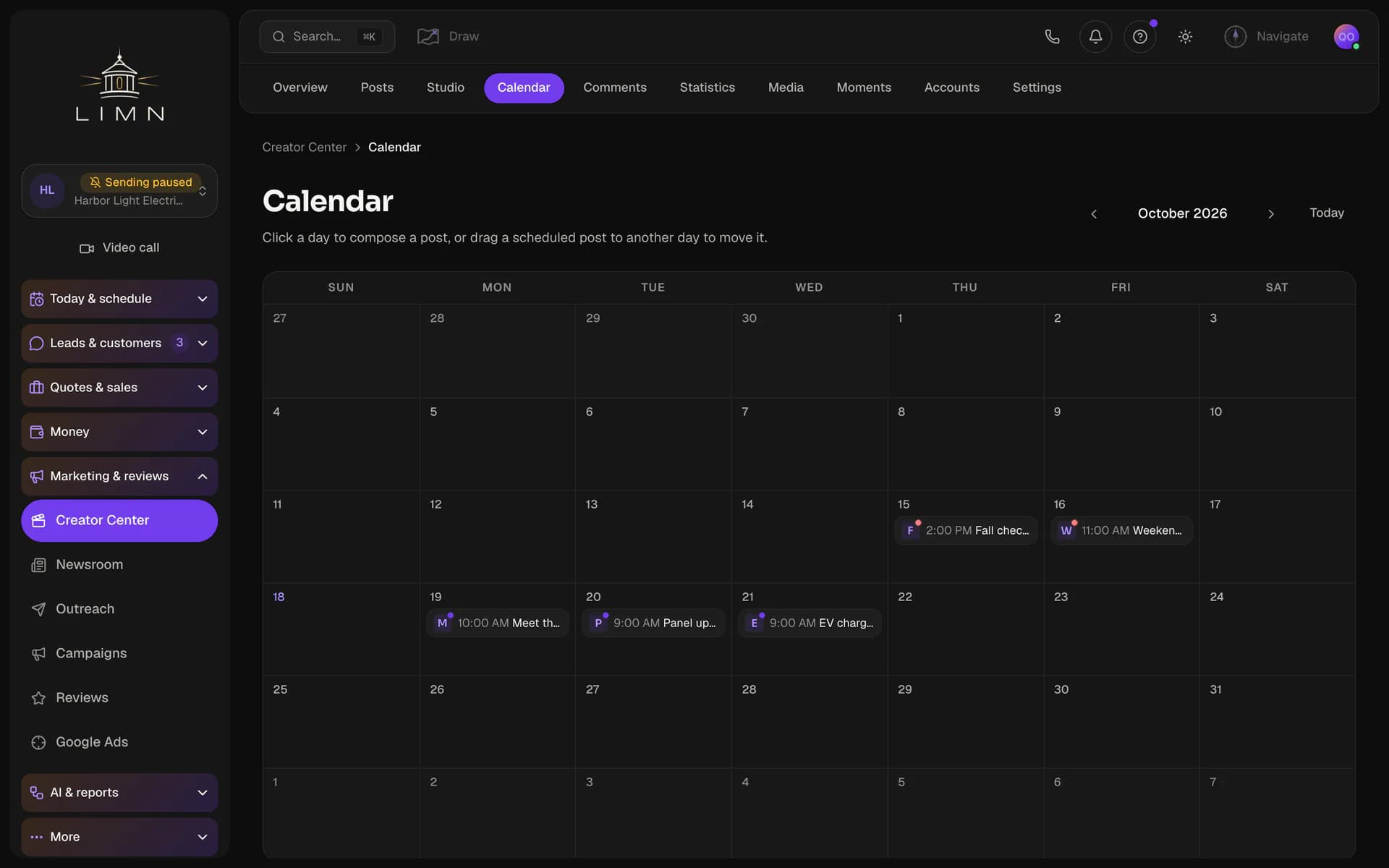
Social
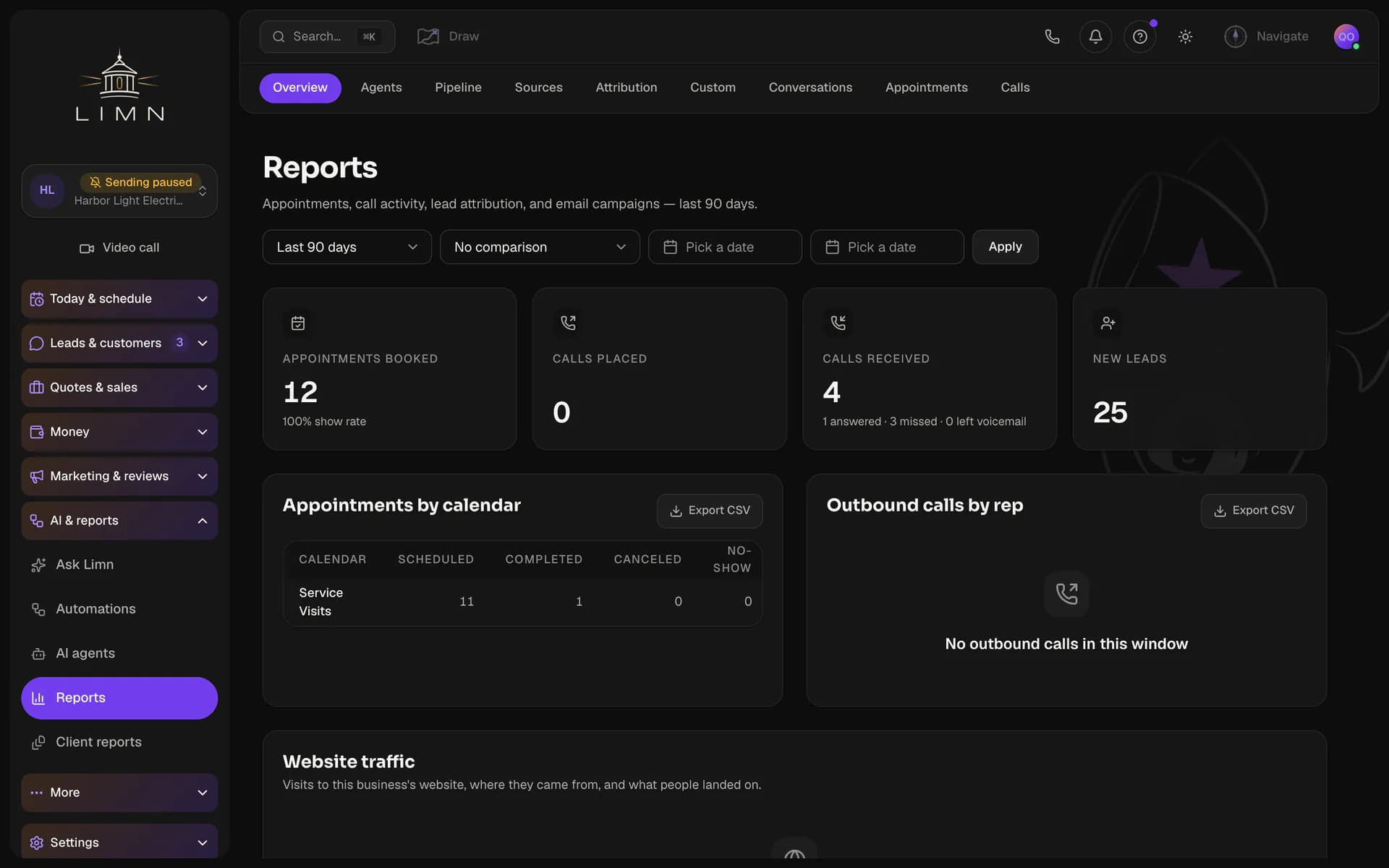
Reports


Also included
Jobs
The work after the quote: a crew, visits on the calendar, and hours, with Dispatch for the office and My day for the van.
Calls
A call log with recordings and voicemail, a queue you work one call at a time, and an AI agent that can answer the phone.
Reviews
Ask for a review by text or email, with a reminder if it goes quiet, then reply from the same page.
Documents
Contracts and waivers, signed on a phone and filed on the contact.
Automations that compound.
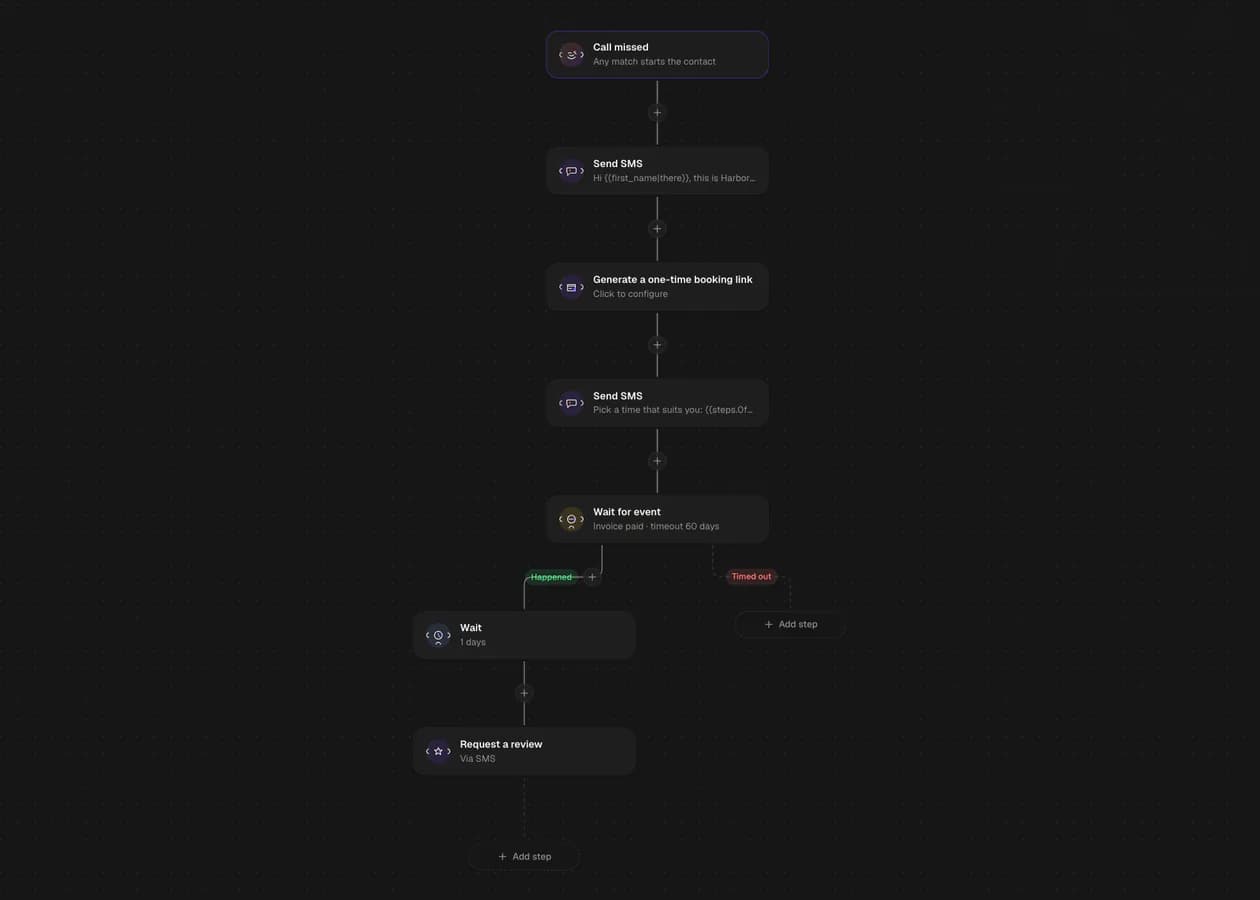
A missed call gets a text back and a booking link. When that customer's invoice is paid, a review request goes out. Every step is a block in the builder, and every run is on the record.

Set it up by asking.
Most software asks you to learn where every setting lives. Here you say the outcome in plain words, and Navigate drafts the program that gets there.
Navigate
Request
When we miss a call, text the caller back with a link to book a visit, and ask for a review after their invoice is paid.
Drafted
- Missed-call text back
- Post-visit review
- Reports after 30 days
Ready to startYou review the steps and press Start. Nothing runs before that.

A drafted program only writes drafts and records. The workflows it builds start when you turn them on.
From lead to paid.
Get the lead in
Import a CSV, put a form on your site, or add them by hand. Each one becomes a contact with a thread.
Reply, book, and quote
Texts and email come into one inbox. You book the visit on the calendar and send the estimate from the same contact.
Do the work and bill it
An accepted estimate becomes a job. The job becomes the invoice, and a payment link takes the card.
Works with the accounts you already run.
Connect your Google, Meta, Stripe and phone accounts to the business you have open. What they bring in lands on the contact.

QuickBooks and Xero take an export file. Every other connection is live.
Every plan is the whole CRM.
Pick the size that fits. Higher plans hold more businesses and team members, and add tools for agencies that serve clients.
Fits your answers
Freelancer
For an owner running their own business, or a freelancer who looks after a few.
$97 / month
or $970 a year
First 7 days free
- Businesses
- 3
- Team members
- 5
- Contacts
- 25K
- AI credits a month
- 2K
What it includes
Contacts and pipelines, inbox and calls, calendar and booking, estimates and invoices, automations and campaigns and forms and reviews, in every plan.
Social posts, publications, brand Boards, sending domains, texting registration and team alert number, in every plan.
An AI receptionist answers your business line, books appointments and takes messages. A summary and transcript of every call are saved to the customer's record.
Schedule jobs, assign crews and run the day from a dispatch board. Turn an estimate into a job, and a finished job into an invoice.
then $97 a month
RecommendedFits your answers
Professional
For an agency that runs its clients' businesses under its own brand.
$297 / month
or $2,970 a year
First 7 days free
- Businesses
- 25
- Team members
- 25
- Contacts
- 150K
- AI credits a month
- 10K
Everything in Freelancer, plus
Turn a long video into short clips for each social channel. Add captions and thumbnails, then schedule the clips with the rest of your posts.
Invite each client to see their own business's results by email link, with no password to set up. They read the reports you share and never see your other clients.
Put your agency's name and logo on the app in place of ours. Booking pages, forms and the client sign-in can run on your own domain too.
Save one business's pipelines, calendars, forms and workflows as a template. Start each new client from a setup you know works, and preview the changes before anything is copied.
Create, update and archive businesses from your own software through our API. You can revoke any key at any time.
then $297 a month
Fits your answers
Agency
For an agency that also manages clients' Google Ads and bills clients for what they use.
$497 / month
or $4,970 a year
First 7 days free
- Businesses
- 250
- Team members
- 250
- Contacts
- 1M
- AI credits a month
- 40K
Everything in Professional, plus
Bill each client for the texts, emails and calls their business uses, at prices you set. We draft the invoice from their usage, and you review it before it goes out.
Manage each client's Google Ads account without leaving the app. Track spend and cost per lead, and edit campaigns, keywords and ads in one place.
then $497 a month
Fits your answers
Enterprise
For larger teams that need custom limits, hands-on setup or their own contract.
Let’s talk
Dedicated onboarding, and terms written for you.
Everything in Agency, with limits set to what you actually run.
We set your businesses, team members and monthly allowances to fit how you work.
A member of our team sets up your businesses with you.
Your price, billing schedule and contract terms are agreed with you in writing.
Every plan starts with a 7-day free trial. We ask for a card when you sign up and charge it when the trial ends, unless you cancel first. The period you pick above is the one we bill after the trial. Want to look around first? Take the tour.



Plain answers.
Can I look around before I pay?
Yes. The tour walks through the product on real screens, and you don't need to sign up. When you start a workspace, we ask for a card and charge nothing until the free trial ends.
What is on every plan?
Every plan includes contacts, the inbox, calls, the calendar, pipelines, jobs, estimates, invoices, automations, campaigns, forms and reviews. Higher plans add more businesses and team members. They also add agency tools like your own branding, client sign-ins, setup templates and reselling.
Can I take my data with me?
Yes. The account owner can download everything in the workspace as one file. You can also export single lists, like contacts or estimates, whenever you need them.
What if I run more than one business?
Each business gets its own contacts, calendar and inbox. Your plan sets how many businesses you can run, and Agency view shows all of them in one place.
How do I cancel?
Cancel any time from Billing in your settings. If you cancel during the free trial, your card is never charged. If you cancel later, you keep access until the end of the period you paid for.
Watch the tour first, then open a workspace.
The tour needs no sign-up. A workspace asks for a card.