Every plan is the whole CRM.
Pick the size that fits. Higher plans hold more businesses and team members, and add tools for agencies that serve clients.
Pick the size that fits. Higher plans hold more businesses and team members, and add tools for agencies that serve clients.
Answer a few quick questions and we will mark the plan that fits.
How many businesses will you manage?
How many people on your team need a login?
Which of these do you need? Pick any that apply.
Will you bill clients for the texts, emails and calls they use?
Your best fit
Answer any question and we will mark the plan that fits below.
Fits your answers
For an owner running their own business, or a freelancer who looks after a few.
$97 / month
or $970 a year
First 7 days free
What it includes
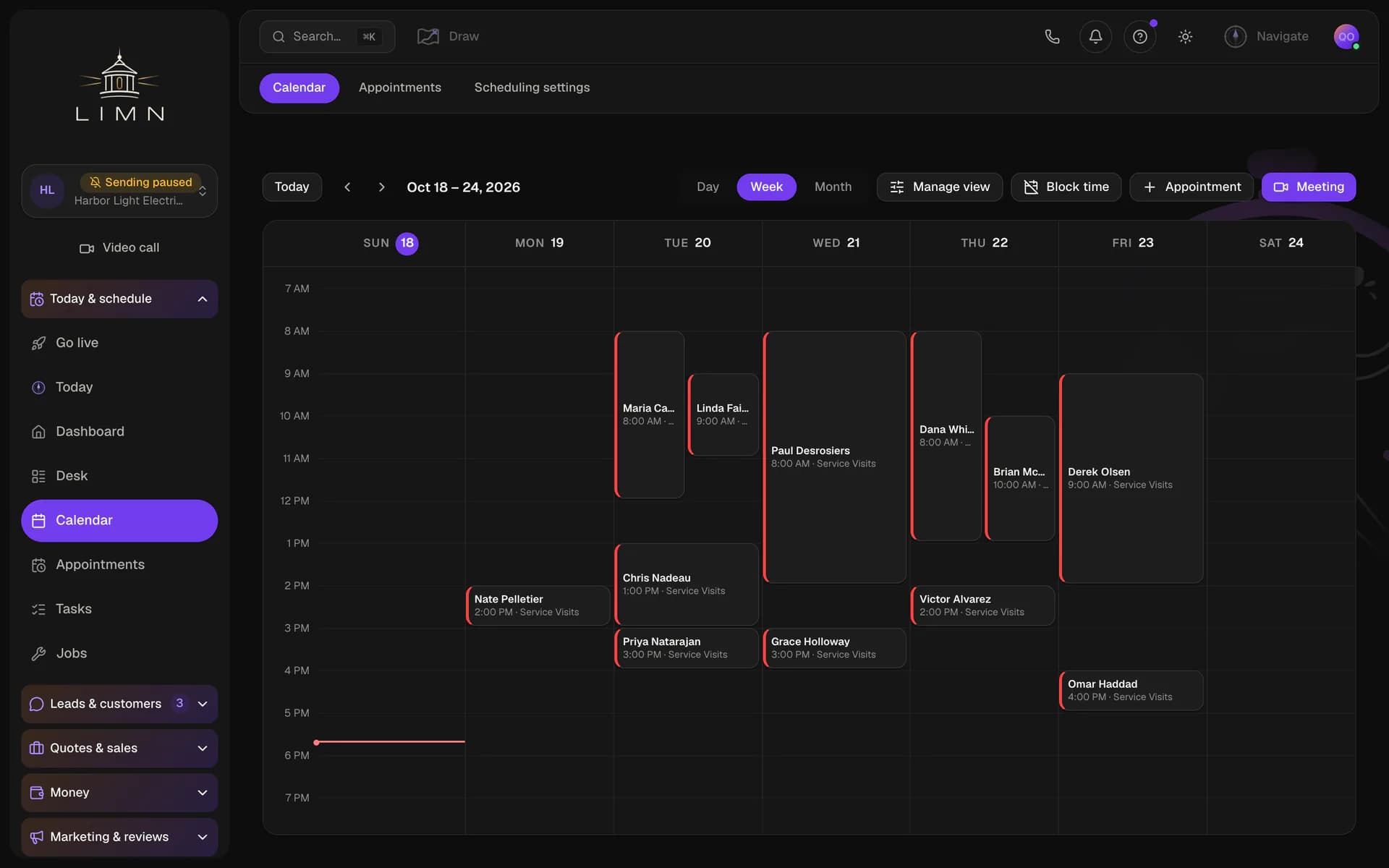
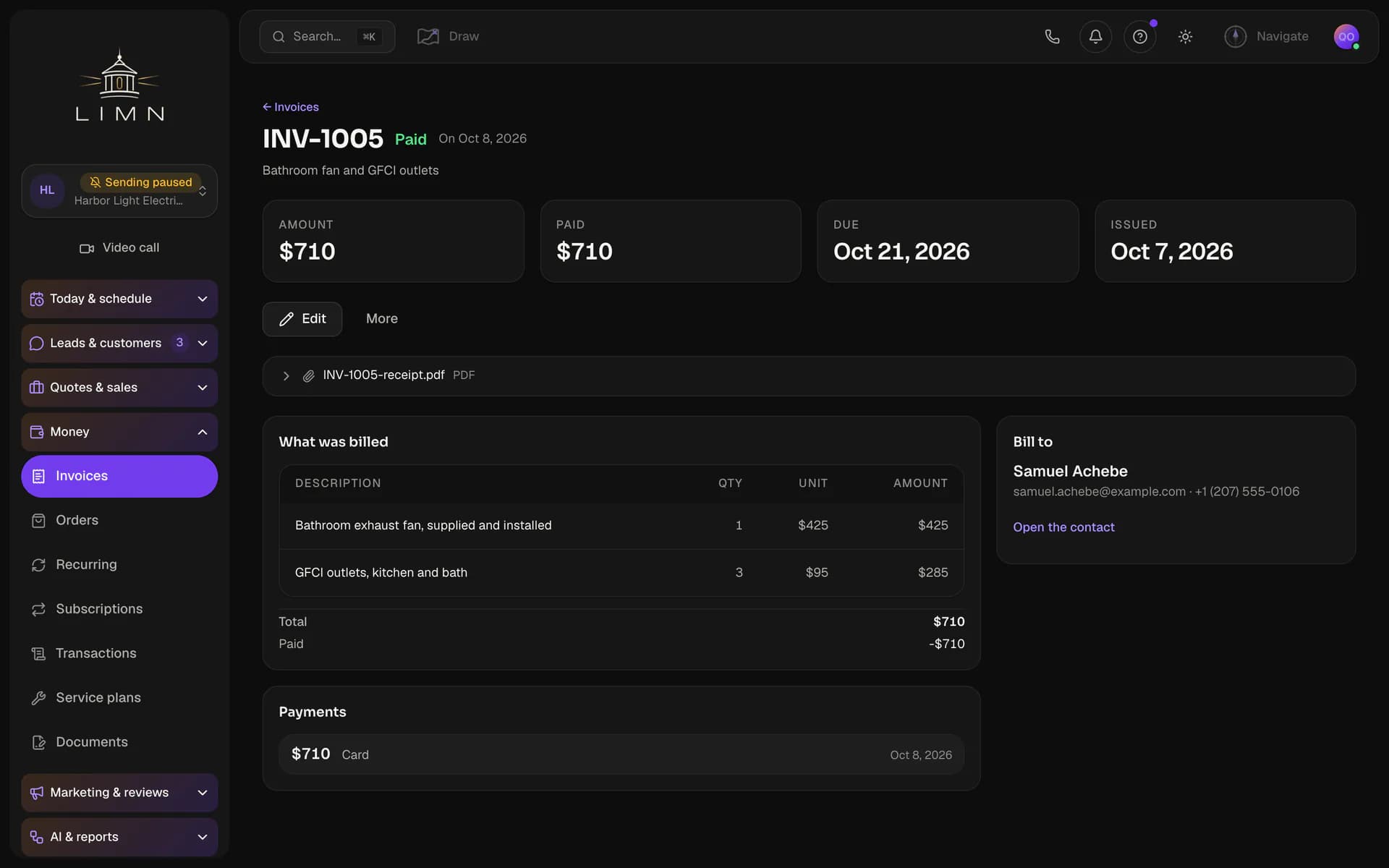
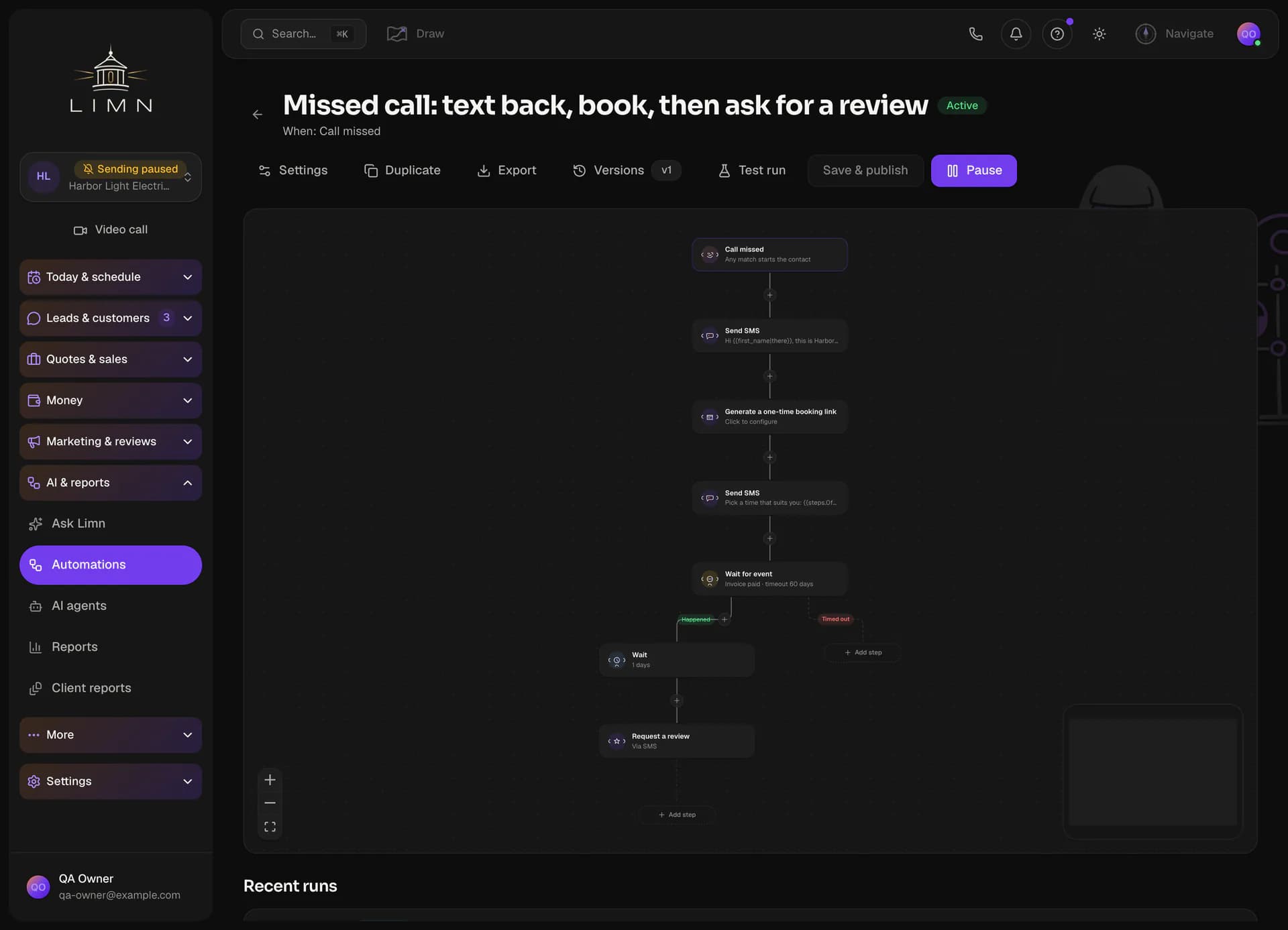
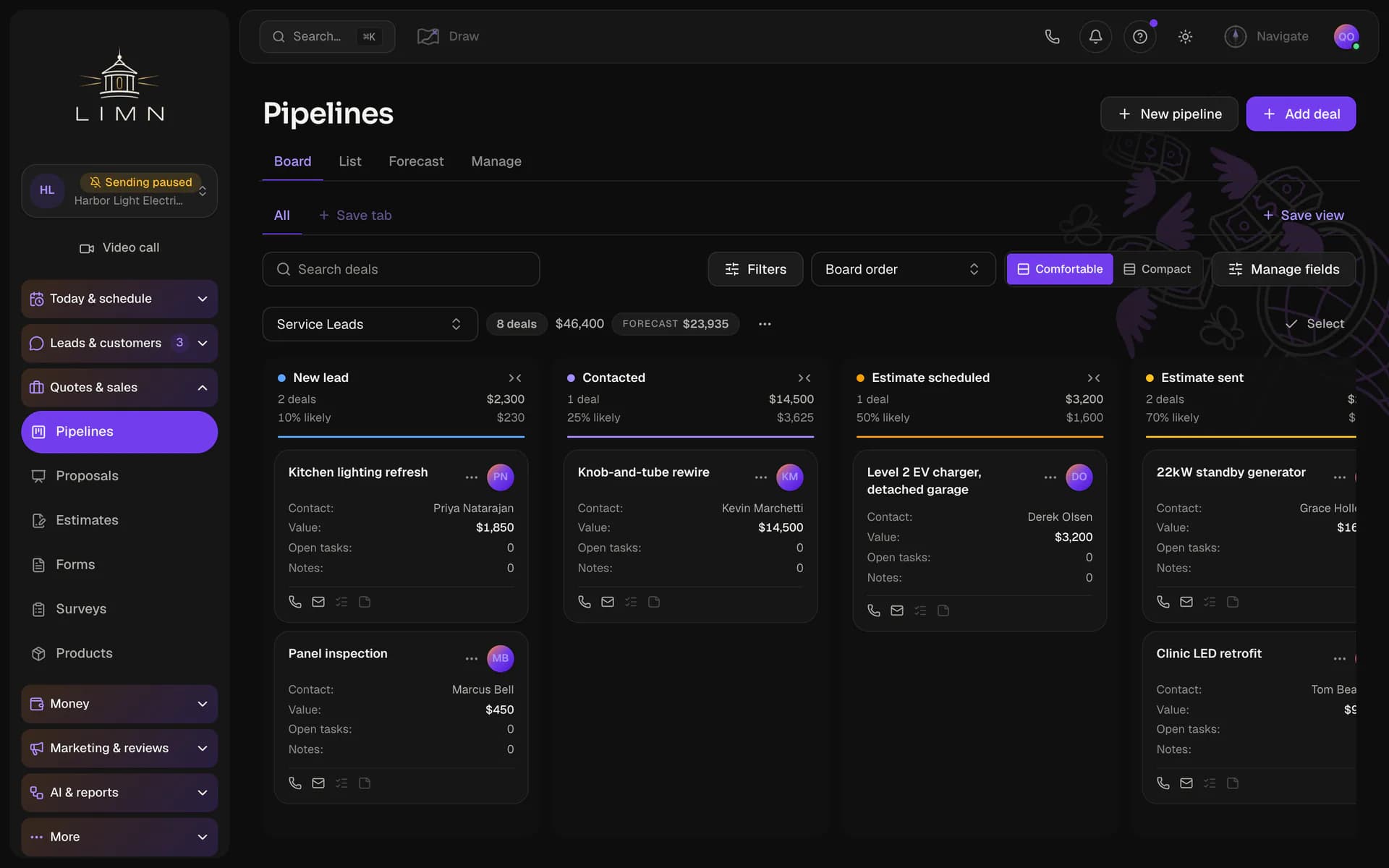
Contacts and pipelines, inbox and calls, calendar and booking, estimates and invoices, automations and campaigns and forms and reviews, in every plan.
Social posts, publications, brand Boards, sending domains, texting registration and team alert number, in every plan.
An AI receptionist answers your business line, books appointments and takes messages. A summary and transcript of every call are saved to the customer's record.
Schedule jobs, assign crews and run the day from a dispatch board. Turn an estimate into a job, and a finished job into an invoice.
then $97 a month
RecommendedFits your answers
For an agency that runs its clients' businesses under its own brand.
$297 / month
or $2,970 a year
First 7 days free
Everything in Freelancer, plus
Turn a long video into short clips for each social channel. Add captions and thumbnails, then schedule the clips with the rest of your posts.
Invite each client to see their own business's results by email link, with no password to set up. They read the reports you share and never see your other clients.
Put your agency's name and logo on the app in place of ours. Booking pages, forms and the client sign-in can run on your own domain too.
Fits your answers
For an agency that also manages clients' Google Ads and bills clients for what they use.
$497 / month
or $4,970 a year
First 7 days free
Everything in Professional, plus
Bill each client for the texts, emails and calls their business uses, at prices you set. We draft the invoice from their usage, and you review it before it goes out.
Manage each client's Google Ads account without leaving the app. Track spend and cost per lead, and edit campaigns, keywords and ads in one place.
Fits your answers
For larger teams that need custom limits, hands-on setup or their own contract.
Let’s talk
Dedicated onboarding, and terms written for you.
Everything in Agency, with limits set to what you actually run.
We set your businesses, team members and monthly allowances to fit how you work.
A member of our team sets up your businesses with you.
Your price, billing schedule and contract terms are agreed with you in writing.
Every plan starts with a 7-day free trial. We ask for a card when you sign up and charge it when the trial ends, unless you cancel first. The period you pick above is the one we bill after the trial. Want to look around first? Take the tour.




Open any line to see what it does for your business.
Each business gets its own contacts, calendar, phone numbers and inbox. Team members see only the businesses you give them.
Each person on your team signs in with their own login. You choose which businesses and screens each one can open.
Yes. The tour walks through the product on real screens, and you don't need to sign up. When you start a workspace, we ask for a card and charge nothing until the free trial ends.
Every plan includes contacts, the inbox, calls, the calendar, pipelines, jobs, estimates, invoices, automations, campaigns, forms and reviews. Higher plans add more businesses and team members. They also add agency tools like your own branding, client sign-ins, setup templates and reselling.
Yes. The account owner can download everything in the workspace as one file. You can also export single lists, like contacts or estimates, whenever you need them.
Each business gets its own contacts, calendar and inbox. Your plan sets how many businesses you can run, and Agency view shows all of them in one place.
Cancel any time from Billing in your settings. If you cancel during the free trial, your card is never charged. If you cancel later, you keep access until the end of the period you paid for.
The tour needs no sign-up. A workspace asks for a card.
Save one business's pipelines, calendars, forms and workflows as a template. Start each new client from a setup you know works, and preview the changes before anything is copied.
Create, update and archive businesses from your own software through our API. You can revoke any key at any time.
then $297 a month
then $497 a month
| 1,500 |
| 7,500 |
| 25,000 |
| Custom |
A short text counts as one segment, and a long text counts as two or more. The allowance resets on the first of each month. If you reach it, texts stop sending until then or until you move up a plan.
| 2,000 | 10,000 | 40,000 | Custom | |
The AI uses credits each time it drafts a message, summarises a call or answers a question. If the month's credits run out, the AI pauses until the next month or until you move up a plan. | ||||
| 300 | 1,500 | 5,000 | Custom | |
Minutes your AI voice agents spend on calls each month. If the month's minutes run out, calls ring your team instead until the next month or until you move up a plan. | ||||
| included |
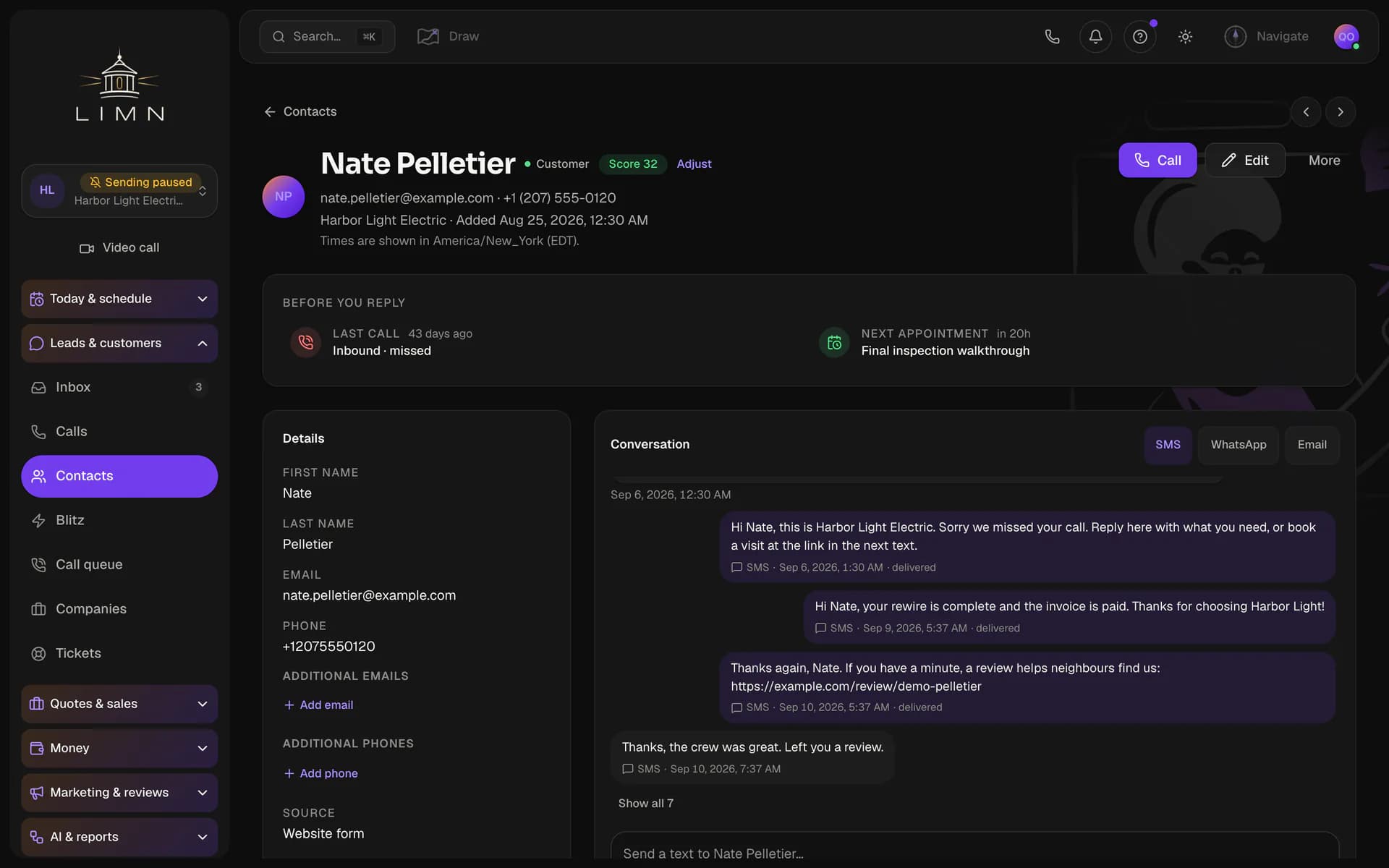
Texts, emails and calls with each customer sit together next to their record. Anyone on your team can pick up a conversation where the last person left off.
| included | included | included | included | |
Book visits on a shared calendar, or let customers book themselves from your booking page. Reminders go out before each visit without anyone sending them. | ||||
| included | included | included | included | |
Send estimates and invoices in a few clicks. Customers pay by card straight from the invoice. | ||||
| included | included | included | included | |
Build workflows that follow up with leads and customers for you. Send email and text campaigns to any list of contacts. | ||||
| included | included | included | included | |
Add forms to your website, and every submission becomes a contact. Ask customers for a review by text or email once a job is done. | ||||
| included |
| included |
| included |
| included |
Write articles in the Newsroom and publish them to the news sites you run. Each site keeps its own article templates.
| included | included | included | included | |
Keep each brand's logos, colours and fonts together on one board. Give a business its board, and its app, videos and proposals take on that look. | ||||
| not included | included | included | included | |
Turn a long video into short clips for each social channel. Add captions and thumbnails, then schedule the clips with the rest of your posts. | ||||
| included |
| included |
| included |
| included |
Send each business's email from its own domain instead of a shared one, which helps it reach the inbox. We show you the DNS records to add and check them for you.
| included | included | included | included | |
Register each business with the US phone carriers for business texting, right inside the app. Carriers filter texts from unregistered businesses, so this keeps yours getting through. | ||||
| included | included | included | included | |
Texts to your own team, like a new-lead alert, come from a number you choose. It stays separate from the numbers your customers call and text. | ||||
| included |
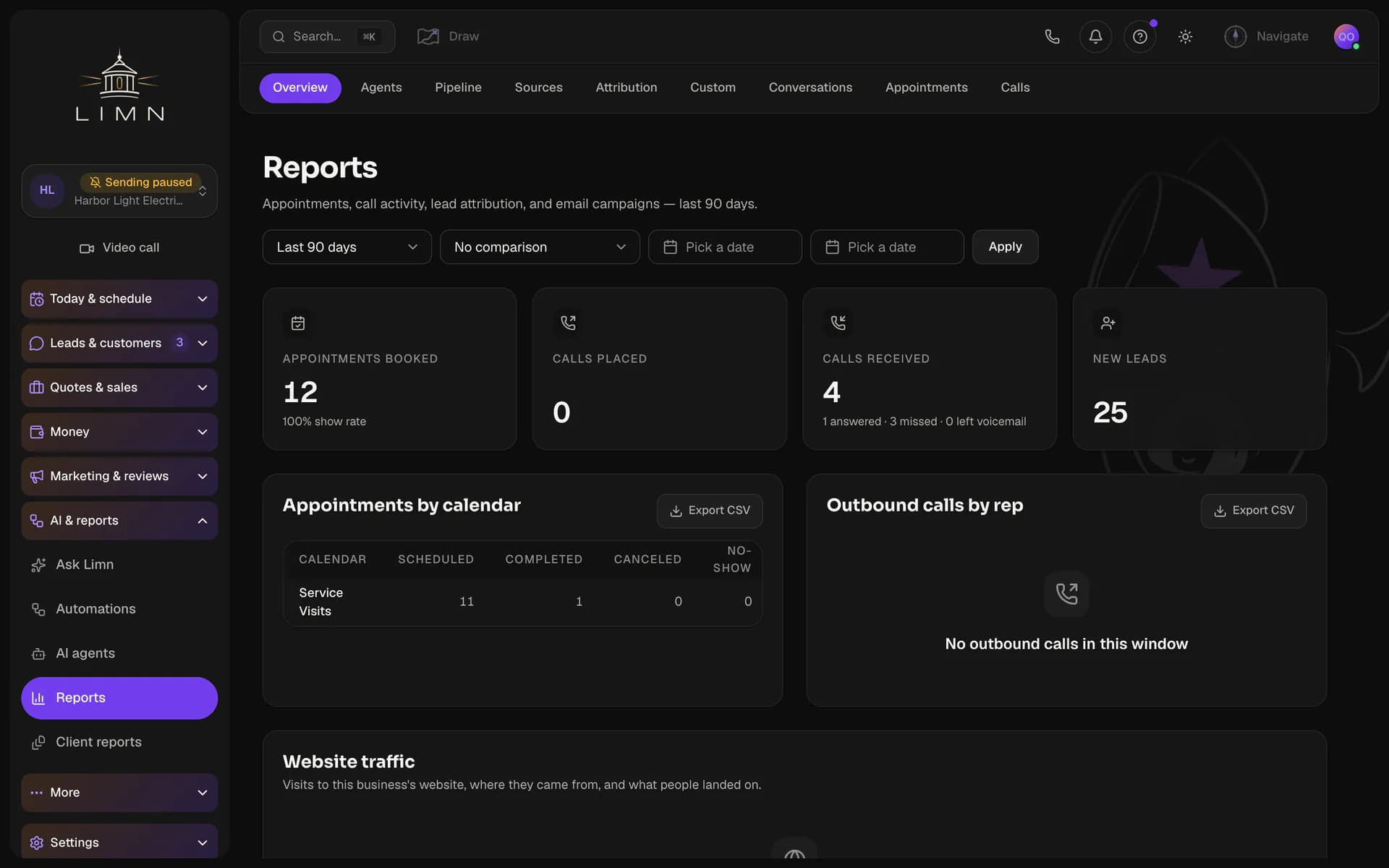
Send each client a report under your brand, on a schedule or whenever you choose. Connect your agency's Google account once, and every report includes the business's Analytics, Search Console and Business Profile numbers.
| not included | included | included | included | |
Replace our name and logo with yours across the app. Your clients and their teams see your brand every time they sign in. | ||||
| not included | included | included | included | |
Run booking pages, forms and the client sign-in on a web address you own, like book.youragency.com. Every link your clients' customers see shows your domain. | ||||
| not included | included | included | included | |
Save one business's pipelines, calendars, forms and workflows as a template. Start each new client from a setup you know works, and preview the changes before anything is copied. | ||||
| not included | included | included | included | |
Create, update and archive businesses from your own software through our API. You can revoke any key at any time. | ||||
| not included |
| not included |
| included |
| included |
Bill each client for the texts, emails and calls their business uses, at prices you set. We draft the invoice from their usage, and you review it before it goes out.
Every customer and lead you keep, counted across all your businesses. Reaching the limit never deletes a contact. It only stops you adding or importing more until you move up a plan.
Every email you send counts, from inbox replies to campaigns and automations. The allowance resets on the first of each month. If you reach it, emails stop sending until then or until you move up a plan.
A short text counts as one segment, and a long text counts as two or more. The allowance resets on the first of each month. If you reach it, texts stop sending until then or until you move up a plan.
The AI uses credits each time it drafts a message, summarises a call or answers a question. If the month's credits run out, the AI pauses until the next month or until you move up a plan.
Minutes your AI voice agents spend on calls each month. If the month's minutes run out, calls ring your team instead until the next month or until you move up a plan.
Keep every customer and lead in one searchable list. Track each deal on a board as it moves from new lead to won.
Texts, emails and calls with each customer sit together next to their record. Anyone on your team can pick up a conversation where the last person left off.
Book visits on a shared calendar, or let customers book themselves from your booking page. Reminders go out before each visit without anyone sending them.
Send estimates and invoices in a few clicks. Customers pay by card straight from the invoice.
Build workflows that follow up with leads and customers for you. Send email and text campaigns to any list of contacts.
Add forms to your website, and every submission becomes a contact. Ask customers for a review by text or email once a job is done.
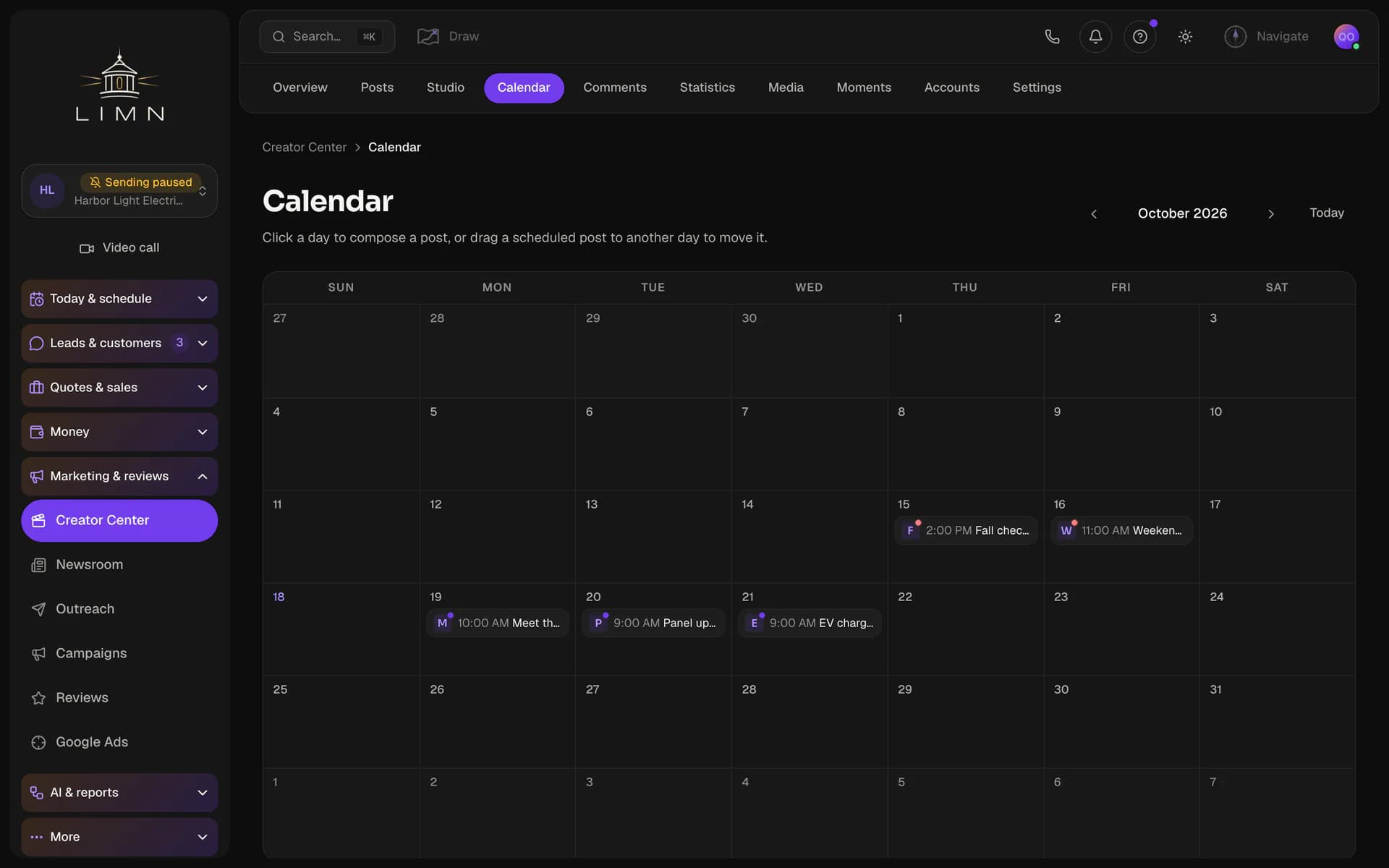
Write a post once and schedule it to Facebook, Instagram and Google Business Profile. See every business's upcoming posts on one calendar.
Write articles in the Newsroom and publish them to the news sites you run. Each site keeps its own article templates.
Keep each brand's logos, colours and fonts together on one board. Give a business its board, and its app, videos and proposals take on that look.
Turn a long video into short clips for each social channel. Add captions and thumbnails, then schedule the clips with the rest of your posts.
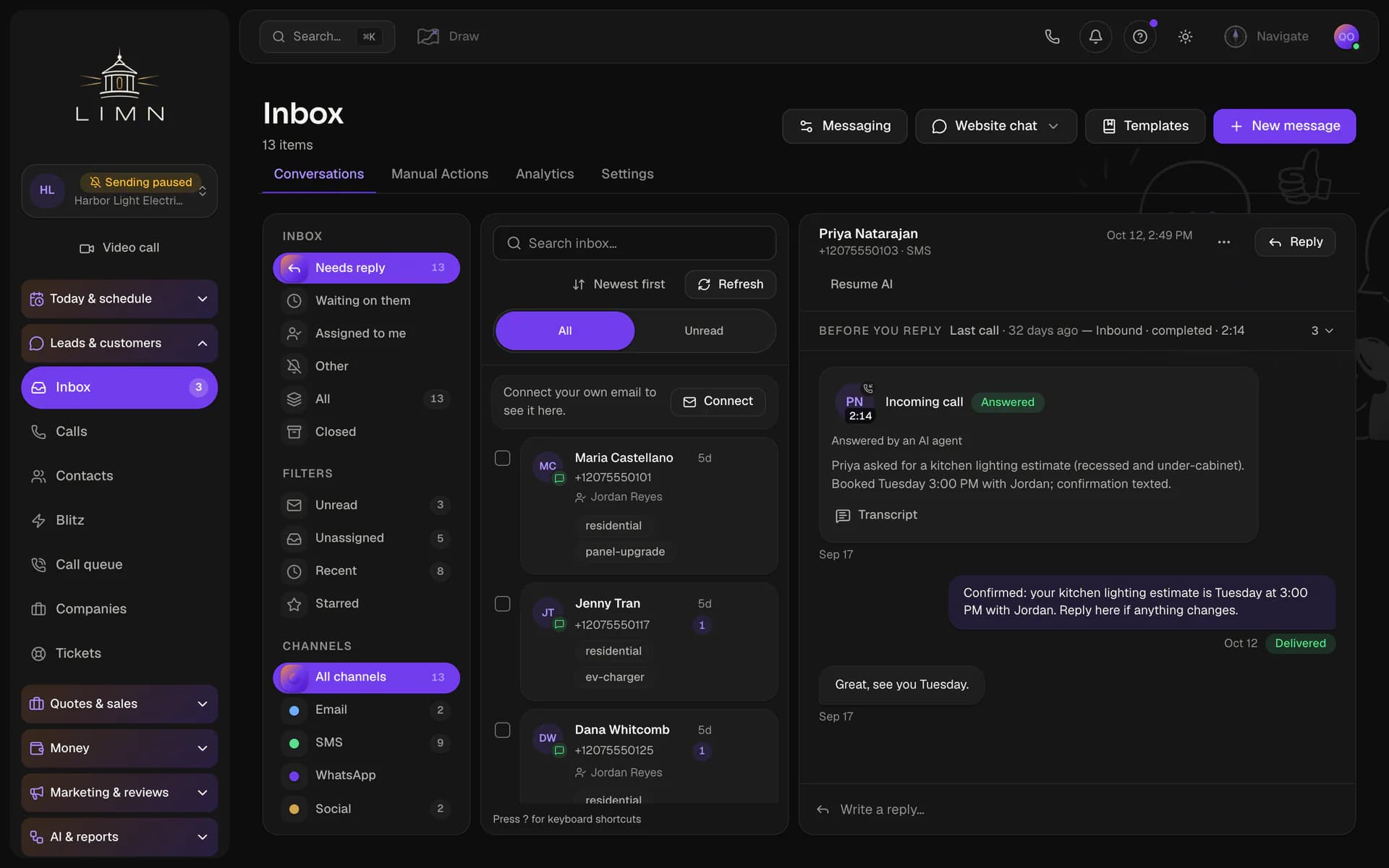
An AI receptionist answers your business line, books appointments and takes messages. A summary and transcript of every call are saved to the customer's record.
Send each business's email from its own domain instead of a shared one, which helps it reach the inbox. We show you the DNS records to add and check them for you.
Register each business with the US phone carriers for business texting, right inside the app. Carriers filter texts from unregistered businesses, so this keeps yours getting through.
Texts to your own team, like a new-lead alert, come from a number you choose. It stays separate from the numbers your customers call and text.
Schedule jobs, assign crews and run the day from a dispatch board. Turn an estimate into a job, and a finished job into an invoice.
Invite each client to see their own business's results by email link, with no password to set up. They read the reports you share and never see your other clients.
Send each client a report under your brand, on a schedule or whenever you choose. Connect your agency's Google account once, and every report includes the business's Analytics, Search Console and Business Profile numbers.
Replace our name and logo with yours across the app. Your clients and their teams see your brand every time they sign in.
Run booking pages, forms and the client sign-in on a web address you own, like book.youragency.com. Every link your clients' customers see shows your domain.
Save one business's pipelines, calendars, forms and workflows as a template. Start each new client from a setup you know works, and preview the changes before anything is copied.
Create, update and archive businesses from your own software through our API. You can revoke any key at any time.
Connect each client's Google Ads account and manage it without leaving the app. See spend, leads and cost per lead for every account on one screen. Pause campaigns and edit keywords, bids and ads without opening Google Ads.
Bill each client for the texts, emails and calls their business uses, at prices you set. We draft the invoice from their usage, and you review it before it goes out.